


AmpleSound Hold Pedal Setup for Realistic Guitar
The Real Reason People Search “AmpleSound How to Setup Hold Pedal”
Most people don’t search “amplesound how to setup hold pedal” out of curiosity. They search it out of frustration. Something feels off. Notes hang too long. Chords refuse to die. Or worse, the pedal does absolutely nothing and you start doubting your controller, your DAW, maybe even your talent. This is normal. AmpleSound is not a piano instrument. It never was. And that single misunderstanding is where most problems begin.
AmpleSound instruments are built to behave like real guitars. Real hands. Real strings Real decay. A sustain pedal, which works perfectly fine for pianos, suddenly feels foreign here. And that’s because it is.
Understanding What the Hold Pedal Actually Does in AmpleSound
In traditional virtual instruments, a sustain pedal simply tells the sound engine: “Do not release the notes yet.” Simple. Binary. On or off. But AmpleSound does not treat the hold pedal as a sustain pedal in the classical sense. Instead, it treats it more like finger pressure retention.
Think about a guitarist. When they lift their fingers slightly, the strings don’t stop immediately. There’s friction There’s vibration. There’s lingering sound. AmpleSound simulates this behavior through the hold pedal. So when you press it, you are not sustaining sound endlessly. You are delaying the release of notes. Subtle difference. Huge impact.
Why the Hold Pedal Feels Broken at First
Many users assume something is wrong when the pedal doesn’t behave as expected. But most of the time, it’s not broken. It’s misunderstood. The pedal might be assigned incorrectly. Or worse, assigned twice. Once in the DAW. Once in the plugin.
Some DAWs automatically interpret CC64 globally. That means when you press the pedal, the DAW forces sustain before AmpleSound even gets a chance to react. This creates conflicts. Notes stack. Releases glitch. Chords smear unnaturally. Suddenly your guitar sounds like a pad from a 90s workstation.
Physical Setup: Getting the Pedal Ready
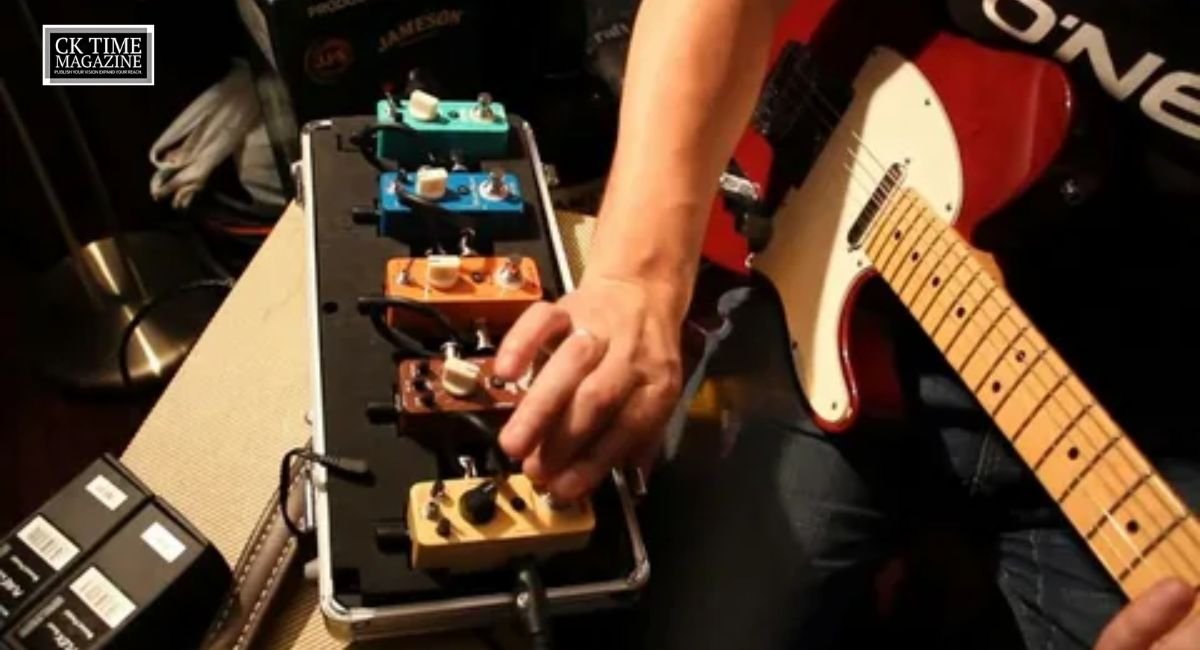
Start simple. Plug your sustain pedal into your MIDI controller. Make sure it’s detected. Open your DAW and confirm MIDI input is working. Most DAWs have a MIDI monitor. If you see CC64 data when pressing the pedal, you’re good.
If nothing appears, check pedal polarity. Some pedals require being plugged in before powering the controller. Others have a physical polarity switch underneath. Yes, it matters.
Opening AmpleSound’s MIDI Control Panel
Load your AmpleSound instrument. Look for the Settings or MIDI tab. This is where AmpleSound hides its true power. Inside, you will see a list of controllable parameters. Legato. Slide. Vibrato. And yes, Hold.
Click on the Hold parameter. Activate “Learn.” Press your pedal. The plugin captures the CC message. Usually CC64. Sometimes CC66 or CC67 depending on your setup. Once assigned, stop learning.
Now test it.
First Test: Simple Chords, Slow Playing
Play a basic chord. Release the keys. Press the pedal. Does the sound linger naturally? Does it fade like a guitar would? Or does it freeze like a synth? If it freezes, lower the release time. If nothing happens, check if the DAW is intercepting CC64.
This step takes patience. Don’t rush it. AmpleSound rewards careful adjustment.
Fixing Reversed Pedal Behavior
If pressing the pedal kills the sound and releasing it sustains, your pedal polarity is inverted. This is extremely common. You have options.
You can:
- Flip the polarity switch on the pedal
- Invert the CC signal in your DAW
- Use a MIDI utility plugin to reverse CC values
Once fixed, the pedal will feel natural again.
Using Custom MIDI CC for Better Control
Advanced users often remap the hold pedal away from CC64. Why? Because CC64 is sacred territory in DAWs. Automation lanes. Global sustain. MIDI processing. Conflicts happen.
Assign the hold function to CC66 or CC68 instead. This isolates control. Gives you precision. And prevents accidental sustain stacking.
It also allows you to automate hold behavior separately from other MIDI data. Cleaner. Smarter.
Understanding Why Some Notes Ignore the Pedal
Here’s a moment of honesty. Some articulations in AmpleSound will ignore the hold pedal. Harmonics. Palm mutes. Certain slides. This is not a bug. It’s realism.
A palm-muted string does not sustain in real life. A harmonic behaves differently. AmpleSound respects that. If you fight it, you lose. If you accept it, your performances sound human.
Storytelling Through Pedal Control
This is where things get interesting. The hold pedal is not just a technical tool. It’s expressive. You can hold bass notes while letting melody notes move. You can create tension. Release. Space.
Try this: hold a low note with the pedal, then change chords above it. Suddenly your MIDI guitar breathes. It tells a story. Small detail. Big difference.
Common Mistakes That Kill Realism
Overusing the pedal is the biggest mistake. Guitarists don’t sustain everything. Strings decay. Silence matters. Let notes die.
Another mistake is recording everything with the pedal pressed. This creates muddy MIDI data. Record clean. Add pedal control later if needed.
Recording Tips for Cleaner Results
When recording, focus on performance first. Pedal second. You can always edit CC automation later. Many professionals record without the pedal, then add it selectively during playback.
This approach keeps performances tight and expressive. Less is more.
DAW-Specific Considerations
Some DAWs, like Ableton Live, aggressively manage CC64. Others, like Cubase or Logic, give you more freedom. If you notice weird behavior, check your DAW’s MIDI preferences.
Disable global sustain processing if possible. Let AmpleSound handle it internally. Trust the instrument.
Troubleshooting Stuck Notes
If notes get stuck:
- Stop playback
- Reset MIDI
- Check overlapping CC automation
- Ensure only one hold assignment exists
Most stuck-note issues come from duplicated CC messages. Clean your MIDI lanes.
Why the Hold Pedal Is Optional, Not Mandatory
Here’s a secret. You don’t need the hold pedal to sound good in AmpleSound. Many users never use it. Instead, they rely on key switches and articulation controls.
The pedal is a tool. Not a requirement. Use it when it adds value. Ignore it when it doesn’t.
SEO Note: Why This Matters for Musicians
Searches for amplesound how to setup hold pedal keep increasing because more musicians are moving away from piano-based workflows. They want realism. They want guitars that feel alive. And that requires understanding tools like this.
Once set up properly, AmpleSound stops feeling like software. It feels like an instrument.
Final Thoughts
Setting up the hold pedal in AmpleSound is not about copying piano behavior. It’s about respecting guitar physics. Once you understand that, everything clicks.
Slow down. Experiment. Listen.
That’s how realism happens.

One thought on “AmpleSound Hold Pedal Setup for Realistic Guitar”